Your handyman website gets plenty of mobile traffic - but are those visitors booking, or hitting voicemail? A tap-to-book popup turns phone taps into online bookings.
Start Free TrialHandyman services cover the small stuff that adds up - squeaky doors, dripping faucets, loose railings, honey-do lists. These aren't emergencies, but they're top of mind when customers finally decide to hire someone. Capturing that decision moment matters, because without a clear path to booking, they'll do it themselves, forget about it, or call whoever makes scheduling easiest.
More than half your website visitors are on phones. They're searching from the job site, the parking lot, or the couch. Here's what typically happens.
Mobile visitors tap your phone number. You're busy, so they get voicemail. 4 out of 5 hang up without leaving a message and call your competitor.
Your desktop website has buttons, but they're hard to tap on a phone screen. Mobile visitors struggle to find how to contact you.
Someone searches at 8 PM, finds your site, tries to call, and gets a closed message. They won't remember to call tomorrow.
When mobile visitors tap your phone number, a popup appears before the call connects, offering to book online instead.
The widget intercepts tap-to-call attempts on mobile devices. A friendly popup suggests booking online for faster service, with a button linking to your booking page.
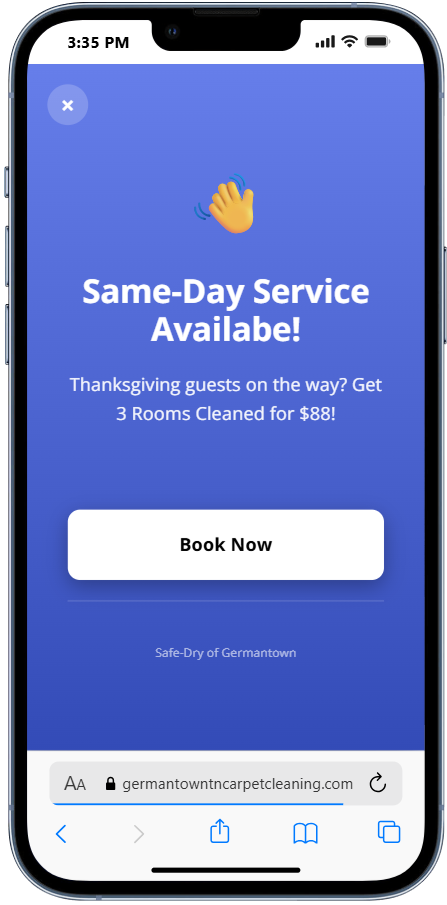
When mobile visitors arrive outside business hours, guide them to book online instead of calling a closed office.
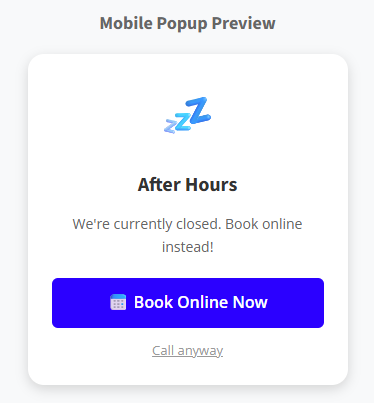
Configure your business hours in the dashboard. The widget displays a mobile-friendly popup outside those hours, encouraging visitors to book online.
The sidebar widget adapts to mobile screens, keeping your CTA visible without blocking content.
On mobile, the sidebar displays appropriately for smaller screens. Your booking CTA stays accessible without overwhelming the mobile experience.
See how mobile visitors interact with your widgets.
Starting at $29/month. If mobile redirects send one extra visitor to your booking page each month, the widget pays for itself.
Before the call goes through, a popup gives visitors the choice to book online. There's a direct link to your booking page, plus an option to continue with the call.
It works on iPhones and Android phones alike. Any mobile browser that supports tap-to-call will trigger the widget.
In the dashboard, you enter your open hours. After hours, visitors see a popup nudging them to book online rather than calling when no one's there.
Absolutely. You control the popup text, button wording, and overall message. Make it sound like your business, not a generic tool.
Not at all. Visitors always have the option to call. The popup just suggests booking as a faster alternative - there's a "Call anyway" button right there.
Wherever you want them to go. You set the URL - your booking page, contact form, or scheduling tool. The widget sends them straight there.
Free 14-day trial. No credit card required. Starting at $29/month after trial.
Start Free Trial